MacBook Pro 15" Retina Mid2014 Calibrated compared to sRGB and Adobe RGB 1998
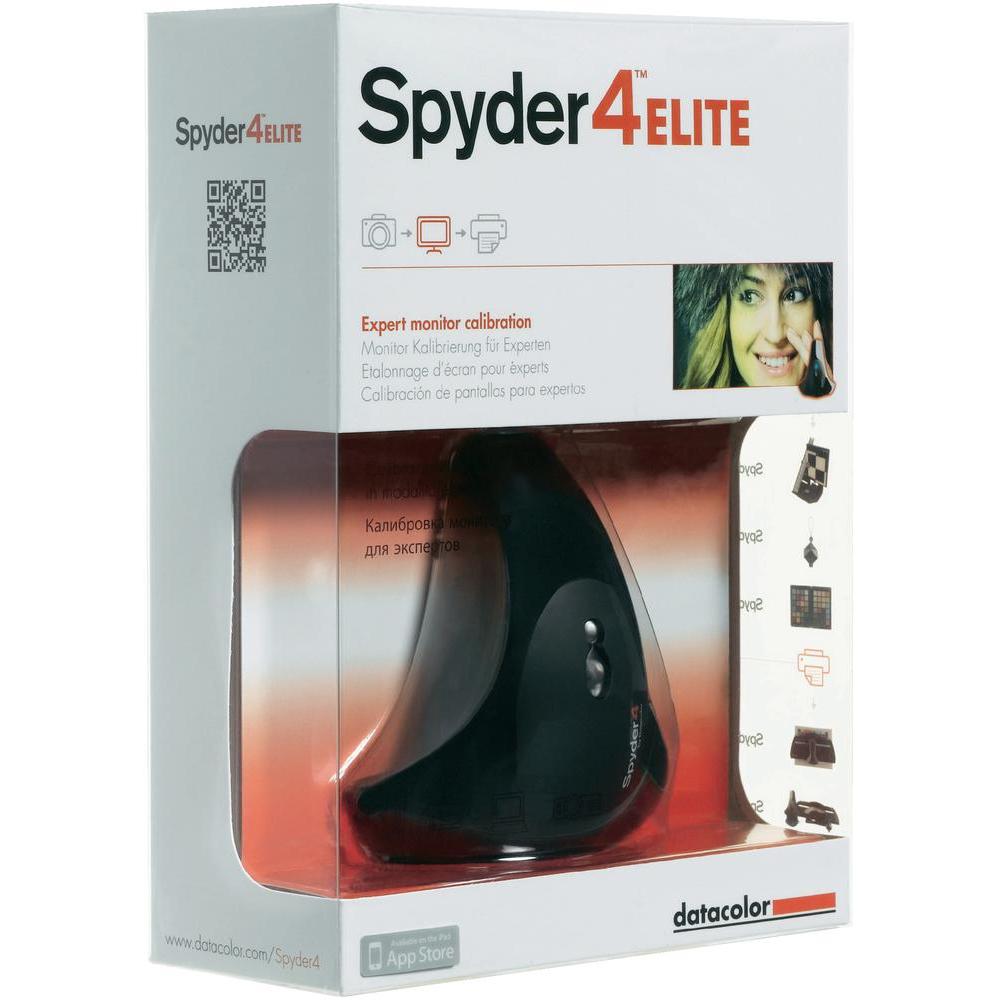
A couple of days ago I got my new Spyder4 Elite Color Calibrator for color calibrating monitors. After doing a calibration on both on the latest MacBook Pro 15" retina and my factory calibrated Asus PA246, I saved the comparison charts for the two displays to see how they stack up.
Spyder4
MacBook Pro 15" Retina 2.5Ghz i7
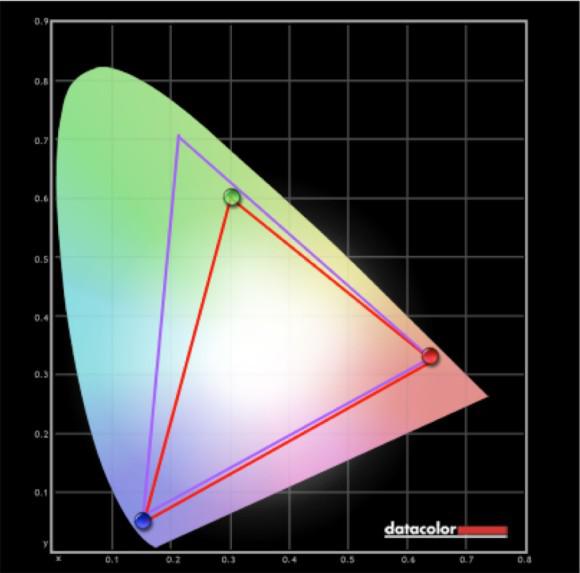 The graph above comparing the MacBook Pro (red line) vs. Adobe RGB 1998 where it managed to display 88% of the colors. Adobe RGB 1998 is a much more significant color space than the more commonly used sRGB, so for web work, the sRGB color space is more important. When compared to sRGB, it managed to display 99% of sRGB after calibration.
sRGB MacBook Pro 15" Retina Mid–2014
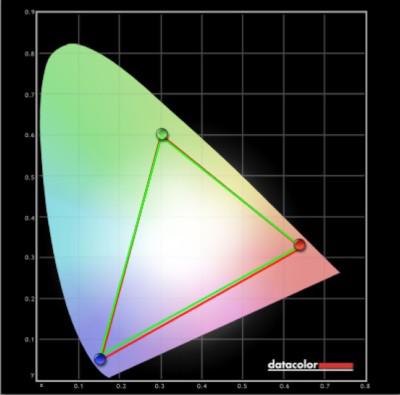 Here’s the sRGB plot and as you can see, it manages to display 99% of the sRGB color space, which is very good for a laptop screen.
So how does this compares to a display that is manufactured to display colors as accurately as possible?
Asus PA246 Factory Calibrated Display
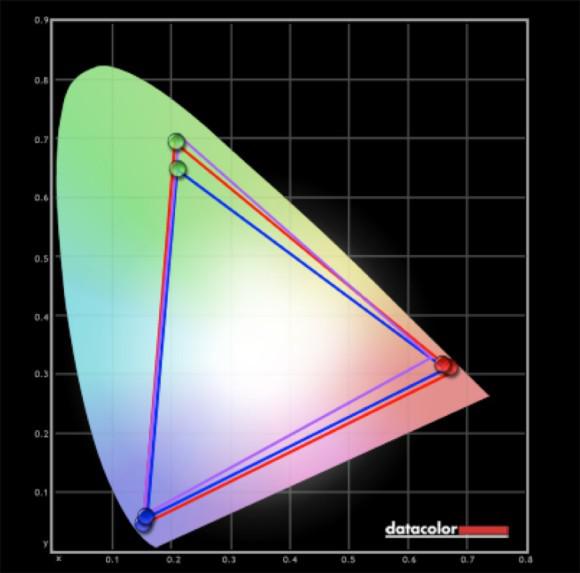 Ehh! That’s quite a difference! Let’s break it down. The purple line is Adobe RGB 1998. The blue line is when I connected my MacBook Pro with an adapter cable using a DisplayPort cable into the Asus display; the red line is when I plugged in the computer with an HDMI to HDMI cable. The real shocker here is that there is a significant difference between using a converter cable compared to using an HDMI to HDMI cable.
The Asus PA246 display manages to display 99% of the Adobe RGB 1998 color space as advertised by the company, so that’s nice. But you do come to appreciate the resolution of the Retina display on the MacBook Pro when comparing it to the much lower resolution Asus display. But the 24" of screen real estate is excellent for viewing pictures.
sRGB Asus PA246 Monitor
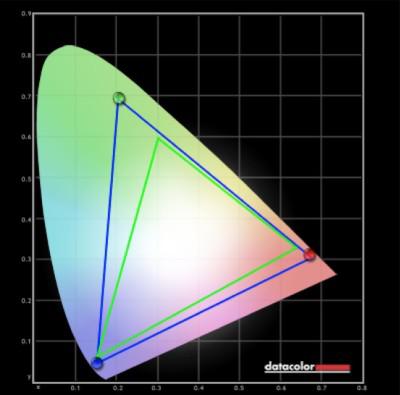 Here’s the Asus PA246 compared against sRGB, and it manages to display 100% of the color space with ease.
So now I have a beautiful setup when editing images. I mostly use Adobe Lightroom, and I’m using the larger Asus monitor for displaying images for color correction and have the library and controls on my MacBook Pro display.
Getting your display’s color calibrated is a must if you are serious about your photography. A quality calibrator doesn’t cost much and will last for many years. The software that comes with the Spyder4 Elite has a user-friendly mode and an advanced mode, but you’ll get a great result by just following the guide in the software.
You can buy the Spyder4 Elite here
Interesting. How on earth could the HDMI vs DVI affect the gamut? I thought HDMI and DVI uses the same signal/protocol, except for obvious things like sound, and that the converters were passive.
But the macbook pros only has display port out, right? That's a completely different protocol I guess..I'm not sure how the conversion is handled.
Are you happy with that Asus display btw? Displays suitable for color work has really become affordable in the last few years.. I'm still using an Eizo screen I bought in 2007. Eizo S2431W, from their budget series. Back then it was one of the few decent alternatives I could find without breaking the bank completely. Payed nearly 6000 Norwegian crowns and though it was a steal at the time.
I guess these newer displays are probably better than mine, though less than half the price I once paid for it.
I'm not really sure what your article is saying. Is it saying that the LCD on a mid 2014 MacBook Pro IS or IS NOT an accurate screen?
I am trying to get as accurate colour as I can on my mid-2014 MacBook Pro and it is way different to when I view images on an external Samsung monitor, or a PC or when I print.
Any suggestions? I was hoping your article would give me a clue.
No screen is color accurate until they are calibrated with a hardware calibrator. Some external monitors are factory calibrated, but it's usually best to calibrate them yourself anyway.
To get the different displays to match, you need to calibrate all of them. That includes the PC. When using programs like Photoshop, you need to make sure that the color profile settings are the same between your machines.
Search on http://amazon.com for a book on color correction. There's plenty.