Speeding up your SPI MAX7219 LED displays when using Arduino and LedControl Library
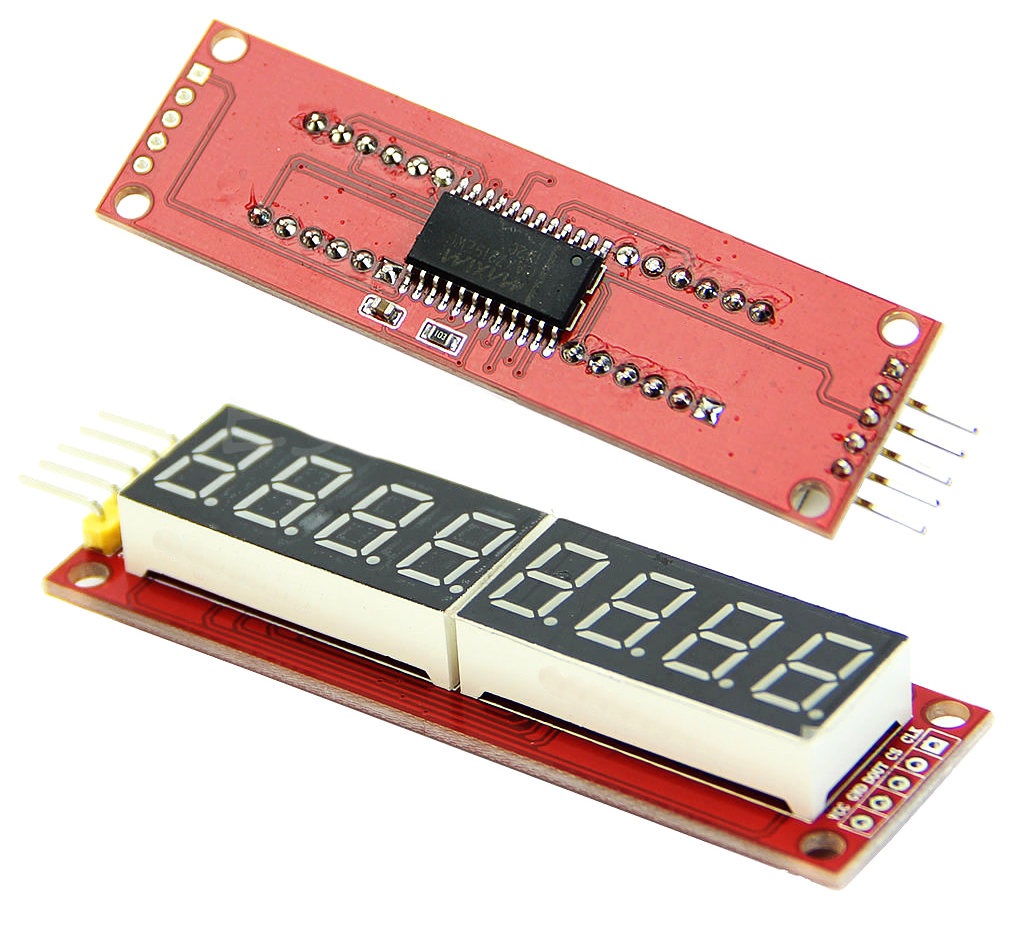
In preparation for the arrival of my GPSDO[1], I’m doing a quick build of an “Atomic Clock” display to have above my lab equipment. I’m using a cheap, small eight digit red LED SPI-controlled display. It uses the MAX7219 controller that I got from eBay for next to nothing. I plan to parse the RS232 information from the GPSDO unit and display the exact time. I’ll also post error messages if the GPS signal lock gets lost.
I’ve done a quick prototype using an Arduino Uno, but I plan to try to get an Attiny85 to work as the controller when I’ve finished the parser and the rest of the software.
After doing some research, naturally, there was a library available to connect to my LED display called LedControl. It’s part of the standard Arduino libraries (in the download section). But when I checked the code, it uses the Arduino routines to shift out the SPI data to the display. It’s great if you want to be able to use any pins to connect to the screen, but using Arduino’s bit manipulation tools for “bit-banging” the display is slow.
How slow? Well, I modified the code for the library, so it uses hardware SPI instead. Here you can see the difference.
https://www.youtube.com/watch?v=c-LFL6rY_OY&feature=youtu.be
My uneducated guess is something like 40–100x the speed compared to the original code. So if you drive a lot of displays in series and are using the LedControl library, you can speed things up by using my library instead. The only downside is that you need to use the designated hardware SPI pins. You can find the modified hardware SPI version of LedControl here. I’m going to fiddle around a bit and add some more features when I get the time.
- GPS Disciplined Crystal Oscillator, in my case a Trimble with a dual ovenized crystal oscillator. ↩
Hi.
Thank you for share your research. I´d like to know if this does this library works with a LED matrix? I tried but it crashes.
Thank you
Gibran
SOrry , follow up enable now! Gibran
How did you get it to work with your LED matrix?
Jason
Thank you this is awesome.
This lib is VERY VERY slow with 4 matrix 8x8. Tried to use as graphics analizer - too slow. Simple code, using only setColumn with no loops.
void ledeq1 (uint8_t oct0, uint8_t oct1, uint8_t oct2, uint8_t oct3, uint8_t oct4, uint8_t oct5, uint8_t oct6) { byte linia[9] = {B00000000, B00000001, B00000011, B00000111, B00001111, B00011111, B00111111, B01111111, B11111111}; lc.setColumn (3, 0, linia[oct0]); lc.setColumn (3, 1, linia[oct0]); lc.setColumn (3, 2, linia[oct0]);
lc.setColumn (3, 5, linia[oct1]); lc.setColumn (3, 6, linia[oct1]); lc.setColumn (3, 7, linia[oct1]);
lc.setColumn (2, 2, linia[oct2]); lc.setColumn (2, 3, linia[oct2]); lc.setColumn (2, 4, linia[oct2]);
lc.setColumn (2, 7, linia[oct3]); lc.setColumn (1, 0, linia[oct3]); lc.setColumn (1, 1, linia[oct3]);
lc.setColumn (1, 4, linia[oct4]); lc.setColumn (1, 5, linia[oct4]); lc.setColumn (1, 6, linia[oct4]);
lc.setColumn (0, 1, linia[oct5]); lc.setColumn (0, 2, linia[oct5]); lc.setColumn (0, 3, linia[oct5]);
lc.setColumn (0, 6, linia[oct6]); lc.setColumn (0, 7, linia[oct6]); }