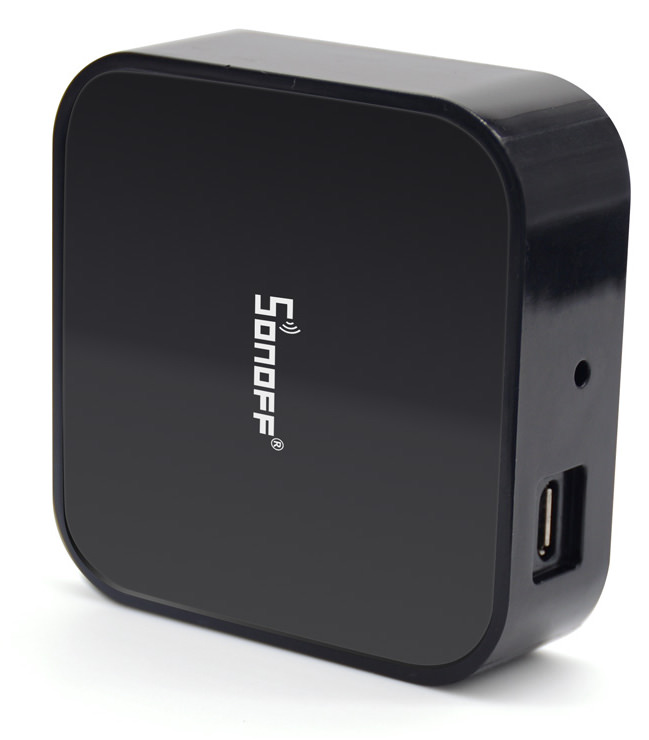
ITEAD contacted me about testing some new equipment and write an unbiased blog post about it. I usually reject all such offers, but this one worked for me. Why? Well, all the stuff they offered was on my shopping list anyway! And my home is quite literally chock full of Sonoff relays, lamps, etc.
So the first thing I started to play with was the SONOFF RF BRIDGE 433. The bridge makes it possible to control switches, doorbells, curtain openers, etc. that uses 433MHz communication frequency. I’m not interested in using the original firmware because I prefer to do my home automation setup in Node-RED. Here’s how it works.
SONOFF RF BRIDGE 433 Upgrade Firmware
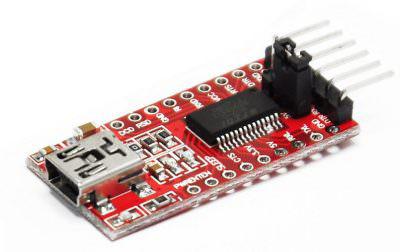 So I decided to try the ESPURNA firmware that works with the SONOFF RF BRIDGE 433. I’ve used Tasmota and ESPEasy on other Sonoff devices but thought that this could be an excellent excuse to try out ESPURNA. There’s a great tutorial on how to flash the new firmware here. Here’s a picture on the guts of the unit. As per usual, you need a USB TTL to Serial Adapter that works with 3.3 volts. You can find them easily on eBay.
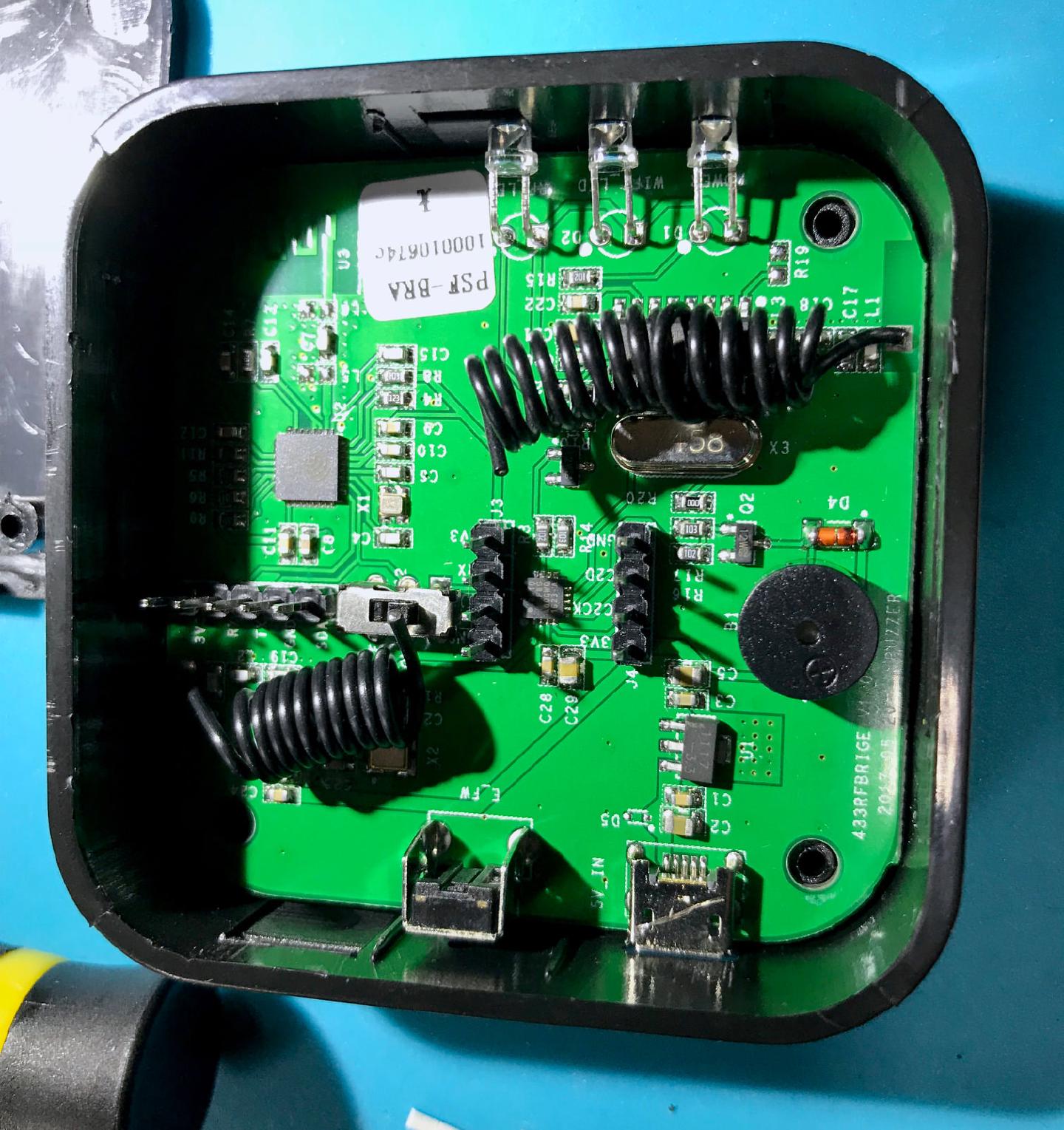
There is already a soldered header with 3.3 volts, RX, TX and GND available, so they are making it easy to install any firmware of your choosing, instead of the factory one. Great stuff! There’s a switch close to the programming header that needs to be set to off position to disconnect the ESP8285 from the SiLabs 8-bit microcontroller that does all de encoding/decoding of signals. Don’t forget to set it to on again after uploading the firmware!
Connecting Devices Via 433MHz
So I bought some extra 433 switches and remote control. I also got a door sensor, but that one was dead as a doornail (no pun intended), so I have to get it replaced. But no problem getting the remote control to work inside Node-RED. All you have to do is to go to the web interface for the device, select “RFBRIDGE” and press “LEARN” for the on and off switches. The SONOFF RF BRIDGE 433 will beep, and you can press the button, and the hexadecimal code will show up and then you just press the “save” button. 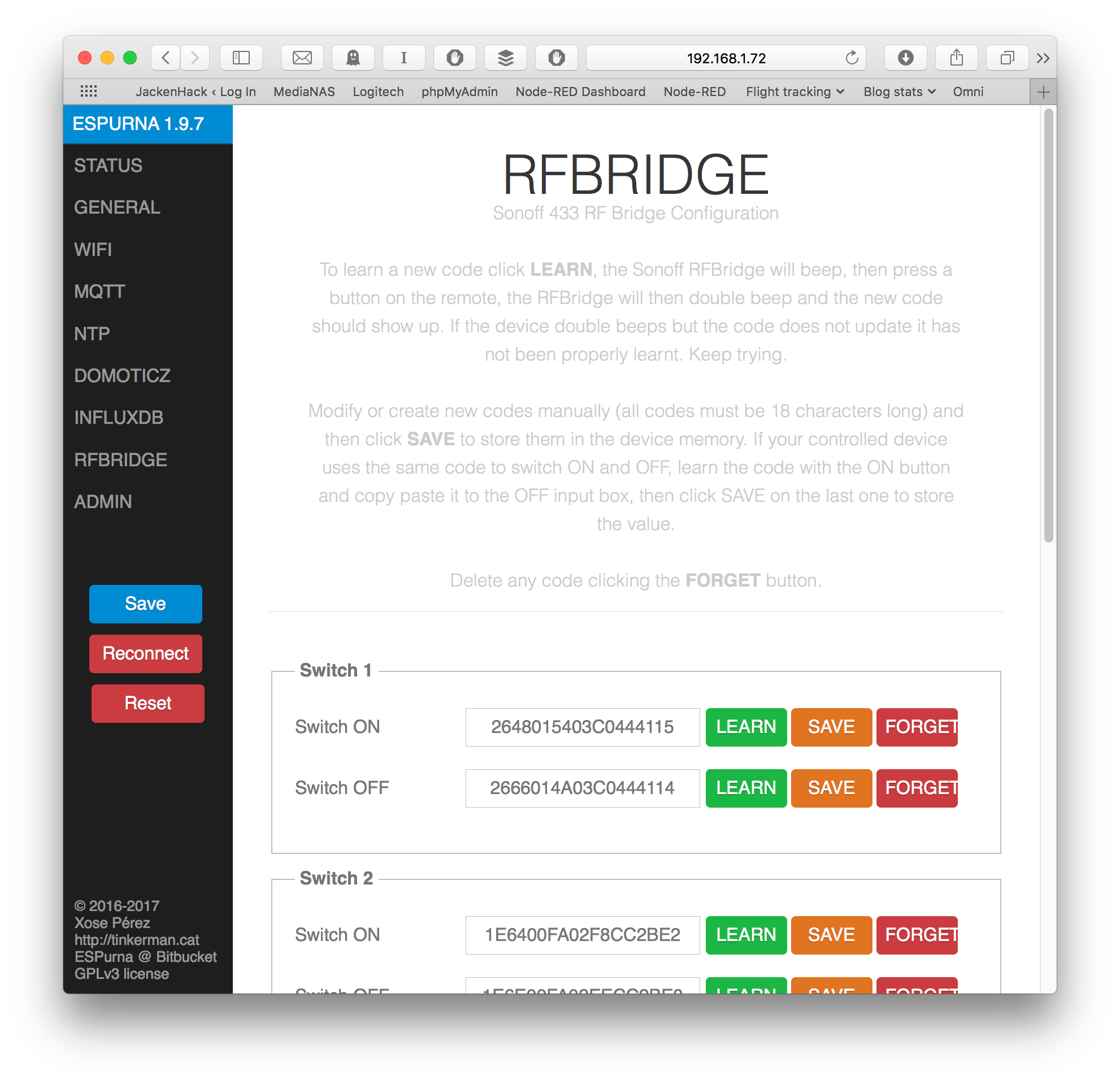 The firmware does have six switches, but it can be increased up to a hundred if you modify some settings in the ESPURNA firmware. But there is another way. A way to be able to both receive and send ANY code you want! Directly from Node-RED!
Adding SONOFF RF BRIDGE 433 To Node-RED
To add the switches to Node-RED is easy. I’ve named my RF Bridge SONOFF_RFBRIDGE; you have to replace all the instances to the name you have given your RF Bridge. Add an MQTT node and set the topic to SONOFF_RFBRIDGE/relay/0 and you’ll get a payload of 1 or 0 depending on the switch state of switch 0. To activate a switch via the RF Bridge, just send a “1” or “0” to your MQTT node with the topic DEVICENAME/relay/0. The relays become 0-5.
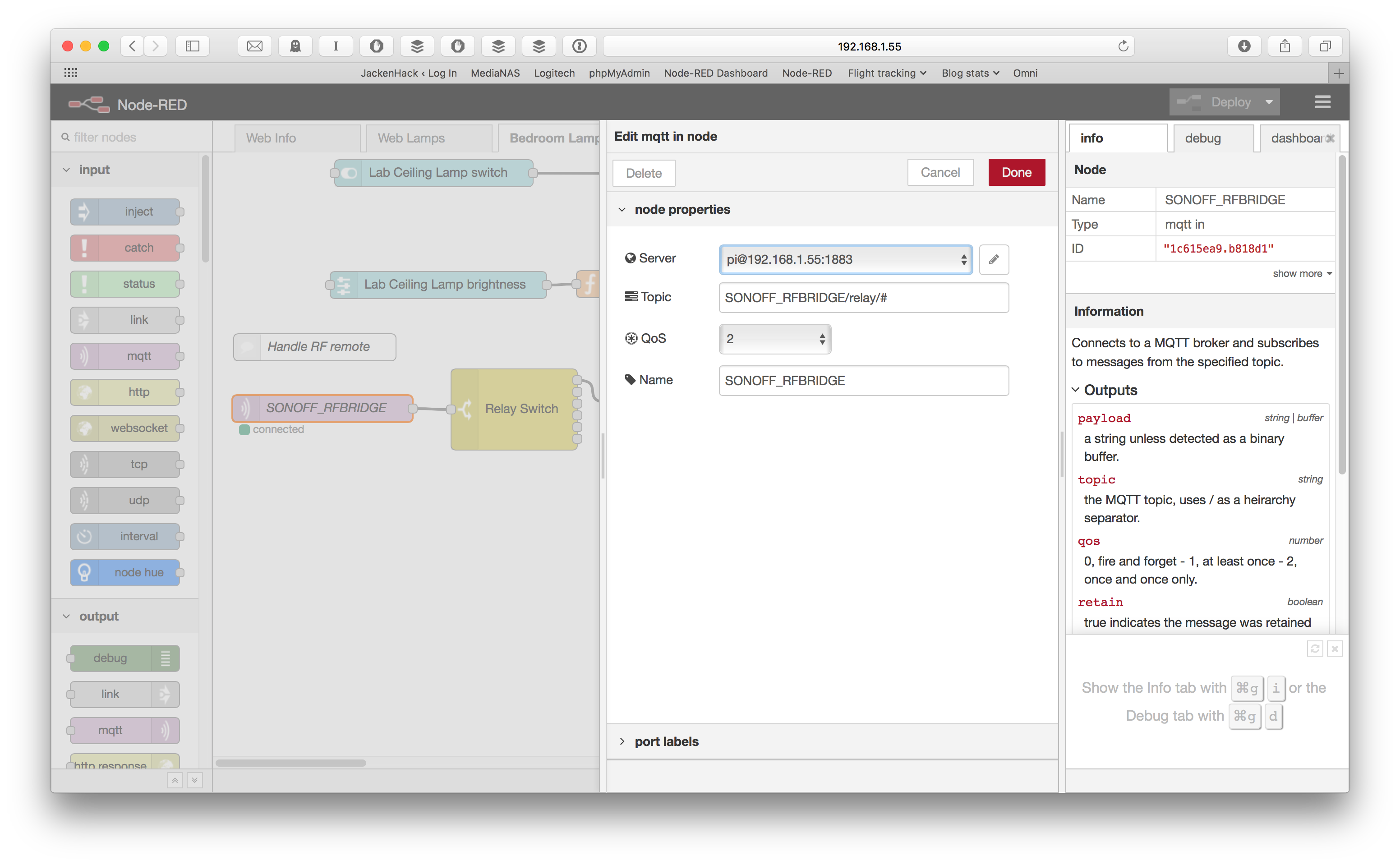
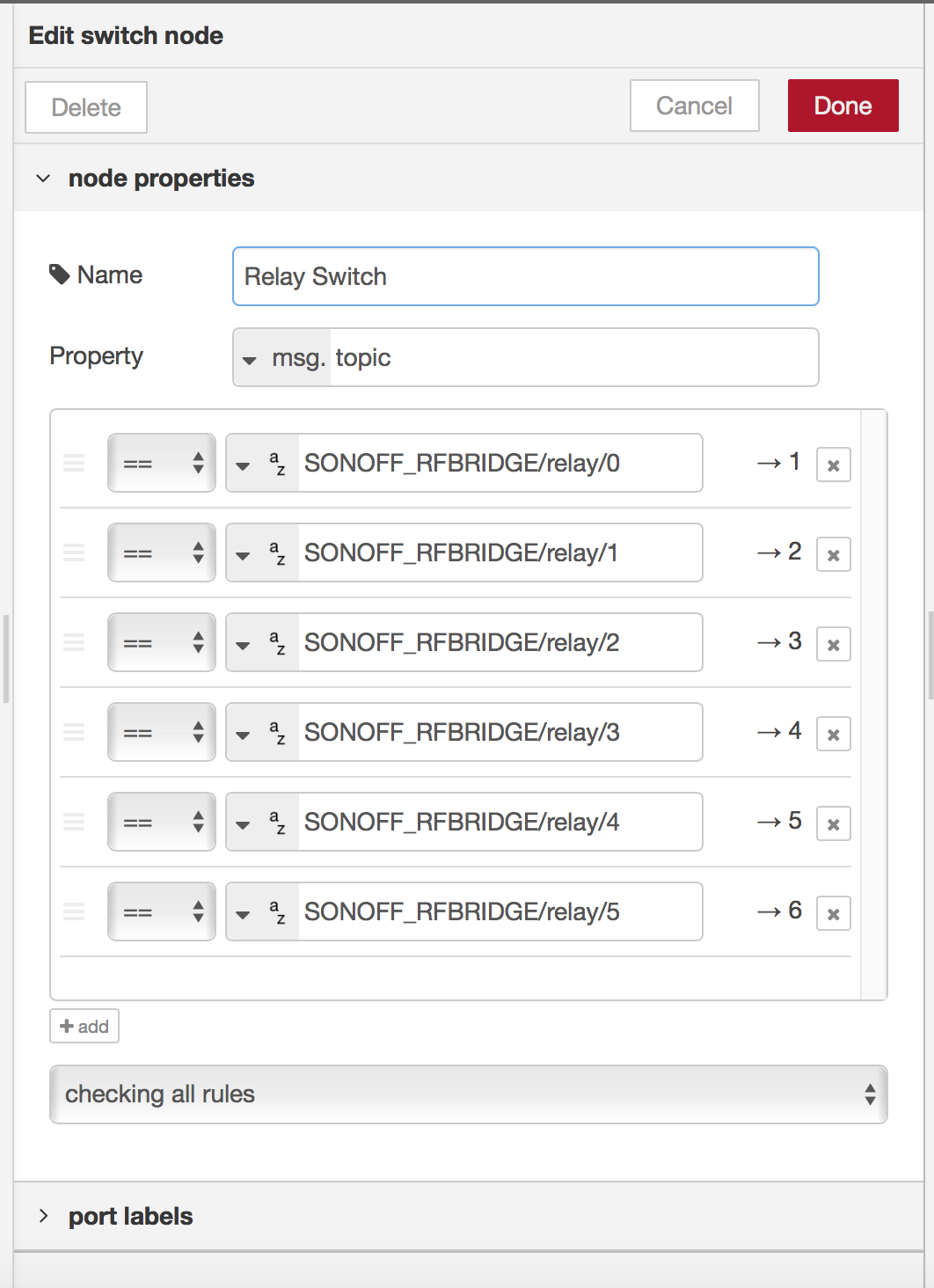
I’ve put in SONOFF_RFBRIDGE/relay/# as my topic because using a hash sign receives all codes. I use a Switch Node to get six different outputs to make it a bit tidier. Then it’s easy to add nodes to the switch I’m interested in.
But What If Six Switches Isn’t Enough?
Well, I’m glad you asked. Because there is a “raw” input and output of 433MHz messages that you can use to tap any codes. That means that you can receive and send any command you like! How cool is that!
To receive all the RF codes, just create an MQTT node with the topic SONOFF_RFBRIDGE/rfin which will give you all the decoded 433MHz messages in hexadecimal. If you want to send a specific code, create an MQTT Out node and set the topic to SONOFF_RFBRIDGE/rfout/set. Now you just have to send the command directly to that node. Quite interesting possibilities there.
Does It Work With All 433MHz Equipment?
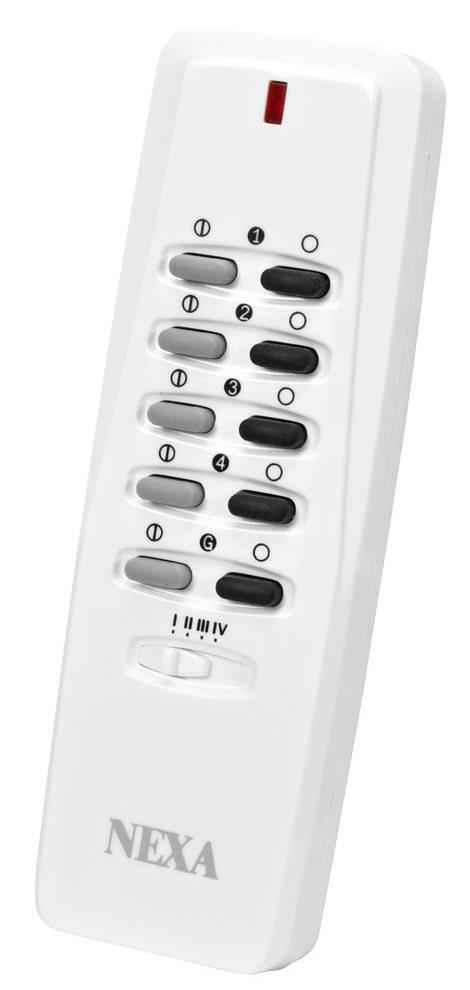 I’ve only tried ITEAD’s remote control, a NEXA remote and a bunch of mains relays and everything works perfectly. I’ve already connected several mains power switches to it to control lighting, and it works without a hitch. I will install door and window detectors later on and update the article.
So there you have it, an excellent bridge between WiFi and 433MHz controlled equipment, all inside the comfy Node-RED environment. Only your imagination is stopping you now.
Excellent!
SONOFF_RFBRIDGE/rfout/set. Now you just have to send the code directly to that node What codes are you referring to ? I am using a door sensor contact. Thanks
A door sensor doesn't receive, it only transmits information...
Thanks for an excellent post. I can’t wait to try this!
Do you have an idea of the sending/receiving range of the bridge? Would it be similar to what I’ve come to expect from one of those standard remotes?
Interesting question. I haven't tried it, but I'm using it in my lab which is not the most noiseless place. I'll try it out when I get the time.
The range was surprisingly small - I couldnt reliably switch on/off my microwave when the relay was in the hall (~6-7m without any walls in between - straight line of sight). It would sometimes switch on/off - but most times not. The range given in the specs - 20m is totally bogus. I suspect that is because the RF draws only about 300-400ma and the signals are not really that strong.
Certainly not as good as the remotes! They operate off 12v and have much more power at disposal. The reliable range in my experiments was around 2-3m (YMMV)
Ah thanks for that. That's very useful.
For me, using the bridge to transmit all over the house would make this perfect for home automation.
I might try to extend the range by sending the signal through a spare remote, or maybe make some kind of repeater. Or maybe the solution to sending signals from Node Red is to use a separate RF module and only use the bridge for receiving...
The range could be extended by using an external antenna, there are many available on ebay or Aliexpress etc.
What kind of antenna would be suitable for this module? I´m using a Pi Cape with an old Raspberry Pi and some makeshift antennas but I still have connectivity issues with my 433 Mhz devices from time to time. I´m interested in knowing how could you connect an external antenna to this setup. Thanks!
Hi, I have reflashed RFBridge with Espurna and with Tasmota, but my Nexa pult (like your in picture) is not working with RFBridge. On button press no red LED flashing. When I ues another pult Luxoparts, I got red LED flashing and got a code in RFBridge debug window. I thin problem was in RFBridge, but other new bridge without reflashing is not flash red LED too. NEXA pult is working perfectly with my other device, but not with Sonoff RFBridge. Maybe You did some configuring of RF part of bridge?