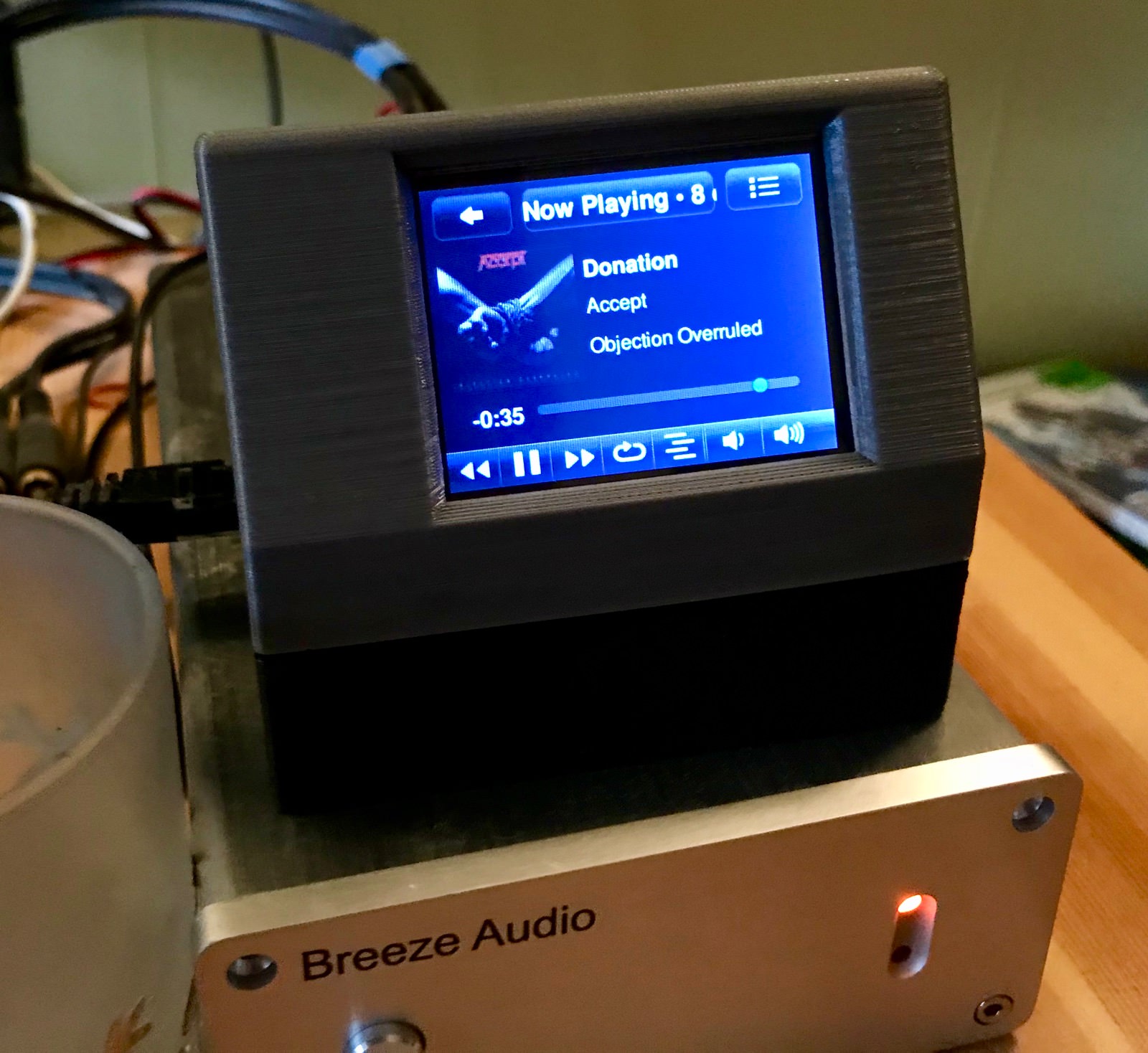
My current music setup is a Raspberry Pi 3 with a HifiBerry DAC+ audio card as my music player. It works perfectly, except for one annoying thing. The new HifiBerry DAC+ makes an audible click or poping sound when changing the sampling rate. I have a lot of recordings in higher resolution than CD-quality of 16-bit 44kHz, so it’s jarring when it happens. I like to play my music loud which exacerbates the problem. But there’s an easy solution, and at the same time, you can get better sound quality overall. Here’s how to fix the problem.
Solution To The HifiBerry DAC+ Clicking sound
I use Max2Play as my central Squeezebox Server and player in the living room because of the simple setup and have several PiCorePlayer units sprinkled around the apartment. So here’s how to fix it in both of them. What we need to do is to upsample all the audio to one sample rate. Let’s start with Max2Play.
Max2Play
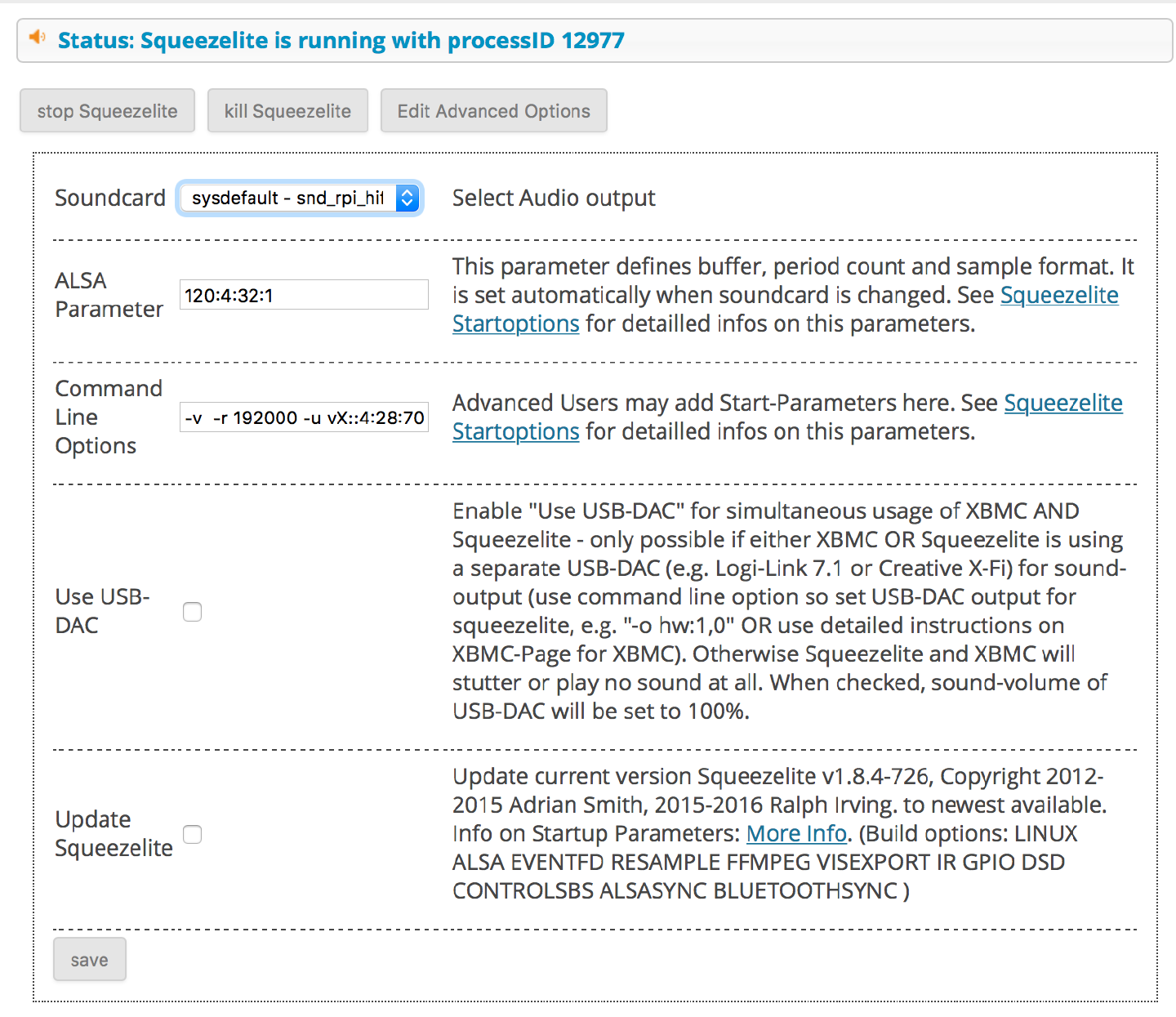
Go to the IP-address of your player, select Audioplayer and under Edit advanced options change ALSA Parameters to 120:4:32:1
ALSA Parameters
The first value is the buffer value in milliseconds. I’ve doubled the amount, so there’s more memory available. Next is the period count which I leave at the default value. 32 is the number of bits of the DAC, and the HifiBerry DAC+ uses the PCM5122 DAC which is a 32-bit, 384-kHz PCM Interface IC, so let’s use all the bits. The last value is the standard value for using mmap.
Command Line Options
Next under the line Command Line Options, enter -r 192000 -u vX::3:28:70:110:50
The -r 192000 command tells squeezelite to use 192000 as the sample rate. Unfortunately, 384000 doesn’t currently work giving a lot of skipping audio, but 192000 should be enough for anyone (unless you are a bat.)
The -u flag is to tell squeezelite to upsample. Here’s a rundown of some of the commands.
- X = async – resample to the max rate for the device, otherwise to max sync rate
- ::3 Attenuation. The output is lowered by 3dB, which is good when the record is badly mastered, thus giving you some headroom to counteract Intersample Peaks. If you mostly listen to modern pop or rock, you could put 4 dB here just to be on the safe side.
- :28: number of bits precision (HQ = 20. VHQ = 28) obviously we are going for Very High Quality here :) If you have an older Raspberry Pi, you may have to go to a lower value because, with more precision, you use more CPU power.
- :70: passband_end = number in percent (0dB pt. bandwidth to preserve. Nyquist = 100%) See note below
- :110: stopband_start = number in percent (Aliasing/imaging control. > passband_end) See note below
- :50 phase_response = 0-100 (0 = minimum / 50 = linear / 100 = maximum) See note below
(Click image for larger size)
PiCorePlayer Settings
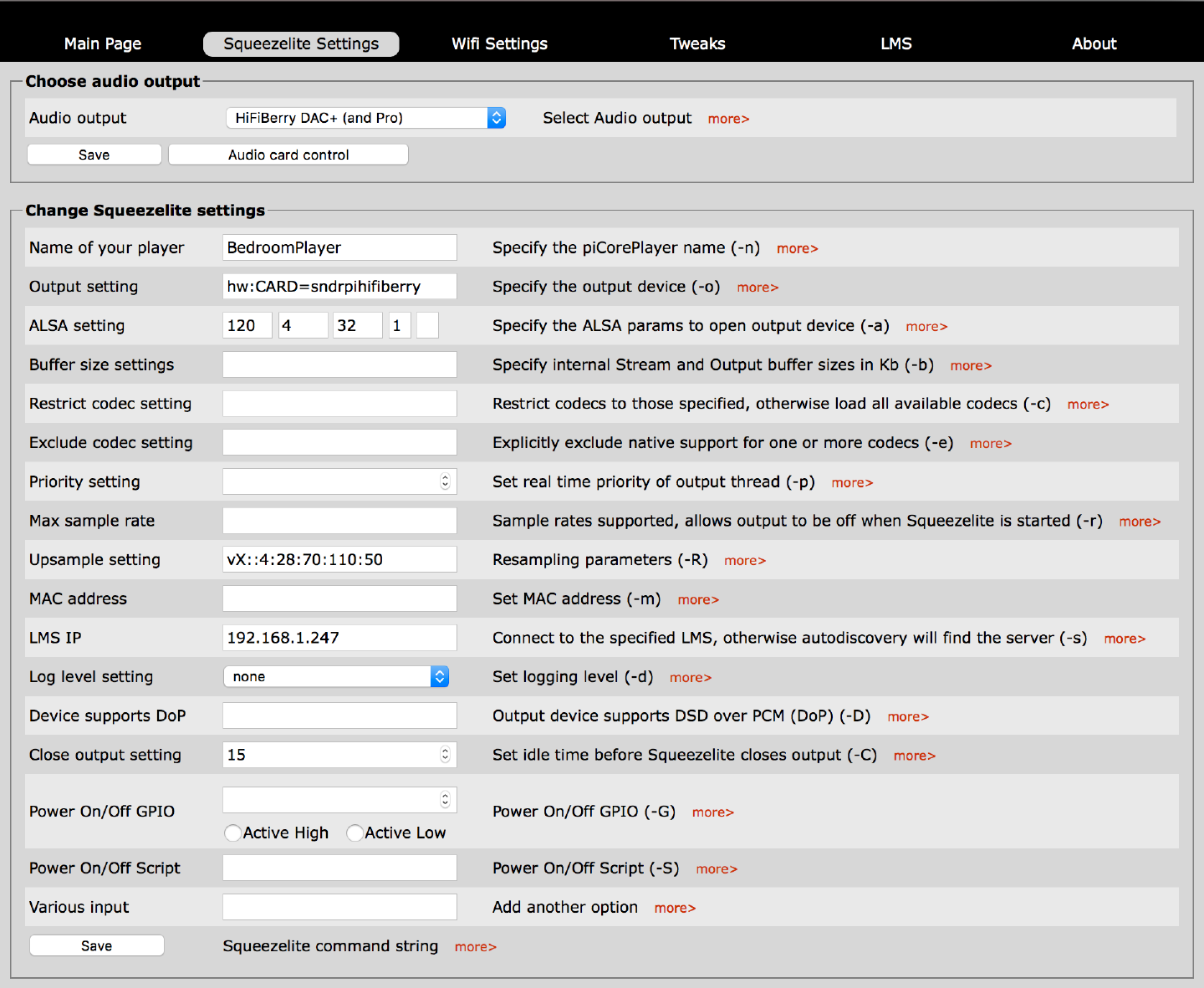
To fix the problem in PiCorePlayer, you use your web browser and point it to the IP-address of your PiCorePlayer. Go into Sqeezelite Settings.
Here are all the settings you need:
ALSA Setting 120 4 32 1
Upsample Setting vX::4:28:70:110:50
To read up on what the different values mean, just read the info on the settings for Max2Play.
(Click image for larger size)
Problem Fixed, But What Have I Just Done?
So finally, we don’t have any clicking anymore, and as a bonus, better sound quality. But you may be wondering about the different numbers given for passband, stopband and phase response. Well, it’s a can of worms. The above is my preferred settings, but you can read up on what the settings do, and most importantly, adjust them to your liking. But to simplify, it sets the way the impulse response of the upsampling behaves and also how much tradeoff of imaging you get in the audio. By lowering the pre-ringing, you can get a better soundstage, but the price you pay is artifacts in the music. It’s a balancing act. Taste also comes into play. But remember, adjusting the filter settings gives very subtle results. If you have a good sound setup, you will be able to hear the difference. But the settings used above gives the best soundstage both in my living room and the bedroom.
There’s an excellent article about upsampling that goes into what it does, and you have some values to try out yourself. I’ve already found my favorite.
Jack: Thank You! This pretty much fixed my click start-stop issue on my three multiroom Hifiberry DAC+ pro Pi's.
However, I'm still hearing an occasional 'burp' or gurgle sound every thirty seconds on audio playback - some kind of buffering artifact, I think I downgraded my Alsa parameters to 120:4:24:1 since I don't have any 32-bit stuff anyways and the artifacts are a little less evident - but still there with quieter parts. Any ideas?
It absolutely sounds like a buffer problem. Is it a Raspberry Pi 3? The more change in upsampling, the more horsepower you need.
Yep, a Pi 3 B+ - Should I try overclocking it slightly?
I would try a lower sampling rate to see if it's a buffer overrun.
Sweet! It worked like a charm! Thank you so much! I have two RPi 3b+ / DAC+ Pro combos, and the pops were both bothering the heck out of me, and making me worry for my speakers. All fixed!
Jack - thank you so much, this has fixed my problem and also given me an insight into how a DAC operates. I'm still very much a novice, but a fascinating start. From a very grateful Neil!